Choosing the right typeface for a luxury magazine spread is about more than just picking a pretty font. Running typography comparisons for high-end fashion editorial layouts helps art directors and designers see how different letterforms interact with striking photography and negative space. The right type elevates a garment, while the wrong one can make a couture shoot look like a fast-fashion catalog. By testing different fonts side-by-side, you can ensure the text supports the visual story rather than distracting from it.
What makes a typeface feel high-end in fashion editorials?
Luxury fashion design relies heavily on visual contrast and precision. Typefaces with extreme thick and thin strokes, like Didot, create a sense of elegance and drama. These modern serifs draw the eye and pair beautifully with high-contrast editorial photography. On the other hand, Bodoni offers a slightly more geometric structure, giving layouts a sharp, tailored feel. When you compare these two side-by-side, Didot feels slightly more romantic and fluid, while Bodoni reads as more authoritative and crisp.
Beyond classic serifs, many modern fashion spreads utilize stark, minimalist sans-serifs. A typeface like Helvetica Now provides a clean, gallery-like backdrop that allows the clothing and photography to take center stage without competing for attention.
How do you pair display fonts with body copy in luxury layouts?
A frequent mistake in editorial design is using a highly decorative display font for smaller text. In luxury layouts, the body copy needs to breathe. You might choose a high-contrast serif for the main headline, but switch to a clean, transitional serif or a minimalist sans-serif for the article text. While you might explore highly legible text families used in academic publishing when seeking readable text blocks, fashion editorials require body fonts with a slightly larger x-height and more generous tracking to maintain an airy, exclusive feel.
The approach also differs significantly from the traditional masthead fonts chosen for literary journals, which often lean toward traditional, old-style serifs rather than the sharp, modern cuts preferred in fashion magazines.
Which sans-serifs work best for modern fashion spreads?
Not every high-end layout needs a serif. Many contemporary fashion magazines use geometric or neo-grotesque sans-serifs to create a modern, minimalist aesthetic. When comparing a geometric sans against a humanist sans for a fashion spread, the geometric option usually wins out. Its perfect circles and straight lines mimic the structured tailoring of the garments being featured, creating a cohesive visual theme across the page.
What are the most common typography mistakes in fashion editorials?
- Overcrowding the layout: Luxury design relies on negative space. Cramming text into the margins or filling every empty corner ruins the premium feel of the spread.
- Poor tracking on display type: Tightening the letter-spacing too much on a delicate serif causes the thin strokes to disappear or look muddy when printed.
- Using more than two typefaces: A standard high-end spread usually sticks to one display font and one body font. Adding a third creates visual clutter and dilutes the impact.
- Ignoring the baseline grid: Even in asymmetrical, avant-garde layouts, the underlying text alignment needs to be mathematically precise to look intentional rather than accidental.
How do you test font choices before finalizing a layout?
Before sending a layout to print or publishing it digitally, you need to see the type in context. Print out your side-by-side font tests for luxury spreads at actual size. Viewing text on a backlit screen often masks issues with thin hairlines or poor ink traps. Place your printed proofs next to the hero image of the spread. Check if the font weight holds up against the busy background of the photograph, and ensure the body copy remains legible when printed on matte or glossy paper stock.
Your pre-press typography checklist
- Print your headline and body copy at 100% scale to check hairline thickness and overall readability.
- Verify that your display font tracking is open enough to prevent thin strokes from breaking during the printing process.
- Ensure high contrast between your text color and the background image, using a subtle drop shadow or color overlay if the photograph is too busy.
- Limit your layout to a maximum of two typeface families to maintain a clean, curated aesthetic.
- Check the final PDF export to confirm all fonts are properly embedded and outlined where required by your commercial printer.
 Selecting Classic Serif Fonts for Luxury Reports
 Curating Serif Fonts for Literary Mastheads
 The Scholarly Serif: Fonts for Academic Publishing
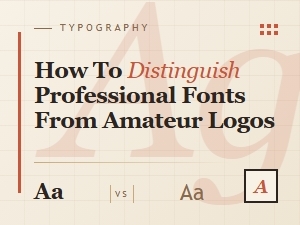 Distinguishing Professional Fonts for Effective Logo Branding
 Luxury Branding's Classic Vintage Script Fonts
 A Guide to Choosing Luxury Serif Fonts for Brands