Publishing a scholarly journal requires more than just picking a standard system font. Readers spend hours parsing dense arguments, complex footnotes, and extensive bibliographies. A premium typeface family designed for academic journal publications ensures that long-form reading remains comfortable while projecting the authority and credibility expected in scholarly publishing. When you choose a high-quality text face, you are investing in the reader's stamina and the publication's professional reputation.
What makes a typeface family premium for scholarly publishing?
A standard font might look fine in a short blog post, but academic typesetting demands rigorous typographic features. Premium families include multiple optical sizes, meaning the designer has specifically adjusted the letterforms for tiny footnotes versus large chapter headings. They also offer extensive OpenType features like true small capitals, old-style and lining figures, and broad language support for transliterated text or diacritics.
Minion Pro is a classic example that provides the deep character set required for complex editorial layouts. When evaluating these extensive character sets, the process shares similarities with how designers approach selecting traditional serif fonts for luxury brand annual reports, where subtle details in the letterforms convey a sense of established quality and meticulous craftsmanship.
Which specific font features do academic typesetters actually need?
Typesetting a peer-reviewed journal involves specific structural challenges. You need a typeface that remains legible at 8pt or 9pt for footnotes and endnotes. True small capitals are essential for abbreviations like US or UK so they do not disrupt the x-height of the surrounding text.
Source Serif handles these smaller point sizes beautifully while maintaining crisp edges on high-resolution screens and printed pages. While academic layouts prioritize dense information, comparing these text faces to the typography used in high-end fashion editorial layouts reveals how differently designers treat whitespace and hierarchy depending on the medium.
What are the most common mistakes when choosing academic text faces?
Designers new to scholarly publishing often make a few predictable errors that compromise readability.
- Using display cuts for body text: Display fonts have high contrast and thin hairlines that disappear or break up when printed at small sizes. Always use the text or regular optical size for body copy.
- Ignoring tabular figures: Tables and financial data in research papers require tabular lining figures so numbers align perfectly in vertical columns. Proportional figures will make data tables look messy.
- Weak italic styles: Academic writing relies heavily on italics for book titles, foreign words, and emphasis. If the italic variant is just a slanted version of the roman, it will cause reading fatigue. Look for a true drawn italic.
Adobe Garamond features a beautifully drawn italic that remains highly readable even in dense paragraphs. Another excellent option for traditional academic layouts is Sabon, which was specifically designed to reproduce well on both offset printing presses and phototypesetting machines.
How do you pair a premium text face with headings and data?
You do not always need a second typeface family. Many premium academic families include a robust sans-serif counterpart or heavier weights that work perfectly for chapter titles, abstract headings, and chart labels. If you do mix families, ensure the x-heights and overall proportions match.
Finding the right balance is a core skill when building a complete editorial typography system, as the wrong combination can make a serious research paper look like a marketing brochure. Stick to the same designer or foundry when possible to maintain visual harmony across the entire journal.
What should you check before finalizing your font license?
Before you commit to a premium family for your next journal issue, run through this practical checklist to avoid production delays.
- Verify language support: Check if the font includes the specific diacritics, Greek characters, or Cyrillic glyphs your authors frequently use.
- Test PDF embedding: Export a sample layout to PDF and ensure the font embeds correctly without altering line breaks or kerning.
- Review digital licensing: Confirm that your license covers both print distribution and digital publishing, including HTML5 web readers if your journal has an online platform.
- Check for technical symbols: Ensure the family includes mathematical operators, arrows, and scientific symbols if you publish STEM research.
Start by typesetting a single, highly complex article from an upcoming issue. Use heavy footnotes, a data table, and multiple languages. If the typeface handles that stress test cleanly, it is ready for the rest of the journal.
Download Now Selecting Classic Serif Fonts for Luxury Reports
 Serif Fonts for Sophisticated Editorial Style
 Curating Serif Fonts for Literary Mastheads
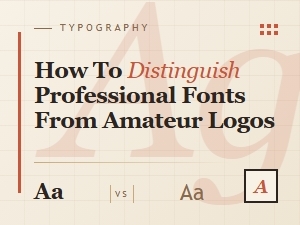 Distinguishing Professional Fonts for Effective Logo Branding
 Luxury Branding's Classic Vintage Script Fonts
 A Guide to Choosing Luxury Serif Fonts for Brands